
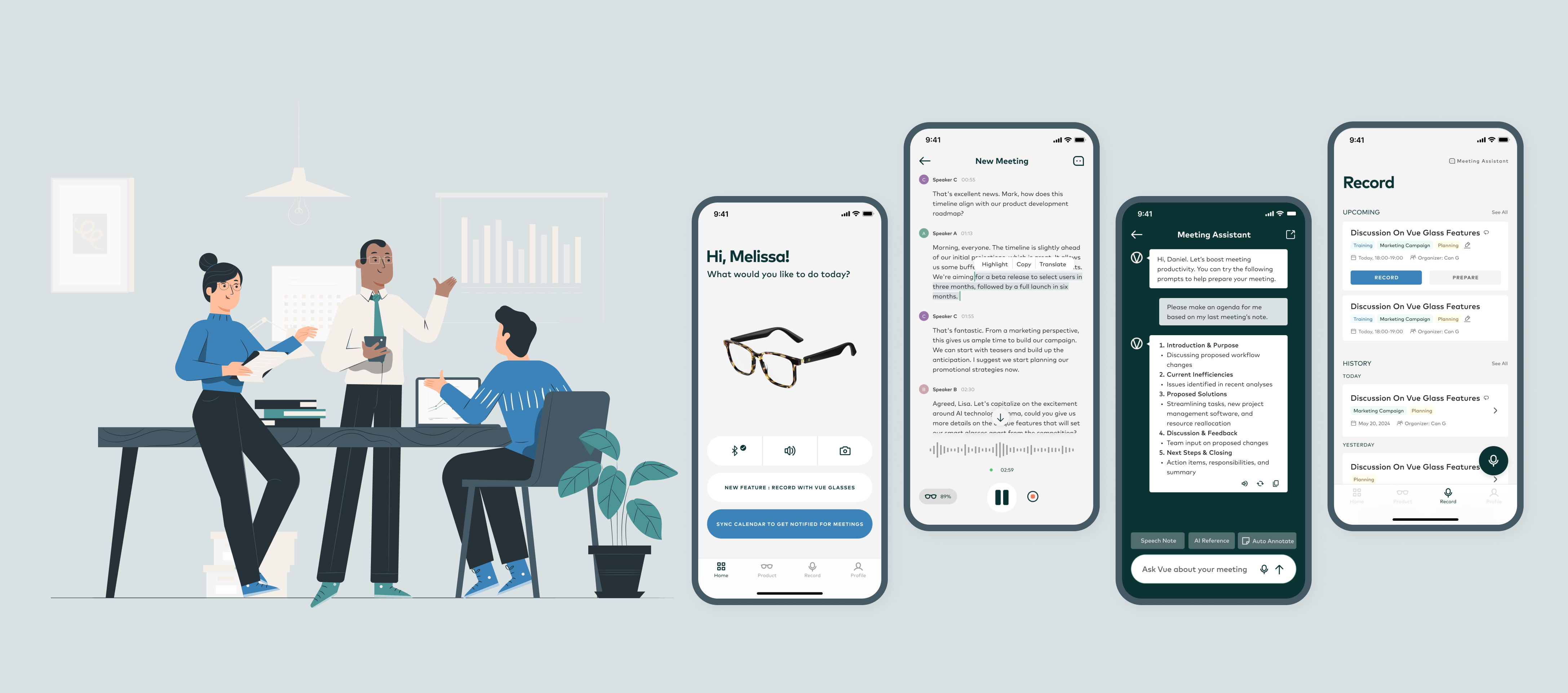
VUE Meetings
From conversation capture to meeting follow-through
As a product designer, I led the 0–1 design of an AI-powered meeting feature, connecting smart glasses and mobile support to help young professionals capture, review, and act on conversations.
- My role
- Product designer · 0–1 feature design
- Contribution
- User research, user flows, wireframes, high-fidelity design, and usability testing
- Team
- 3 other product designers, a product manager, and a development engineer
- Duration
- April–July 2024
- Project stage
- Partially launched · September 2024
- Product
- Mobile app + smart-glasses gestures
View VUE Lite in the App Store
Overview
From an audio device to an AI assistant
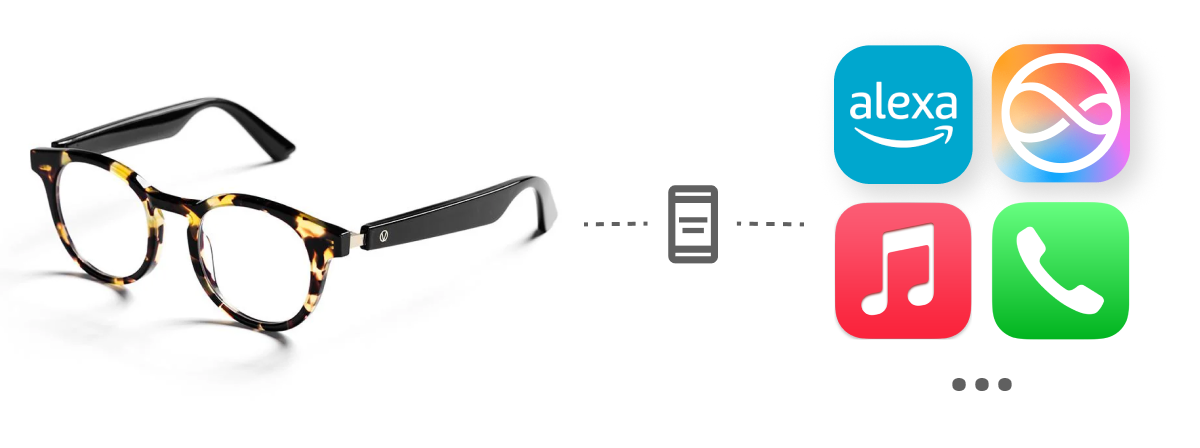
VUE began as a general audio device. The team’s strategic pivot focused on primary user needs: discreet interaction, simple gestures for voice assistants, and recording when note-taking is inconvenient.
Existing products
- VUE Smart Glasses
(primarily served as an audio input/output device) - App: VUE Lite/Pro
(displaying connection status)
- VUE Smart Glasses
Currently at pivotal point
- New generation of hardware
- Looking for growth of users
Next step?
Capture is only the beginning
VUE could record conversations, but users still had to review recordings and organize follow-up themselves. The challenge was to turn hands-free capture into useful meeting notes and action items.
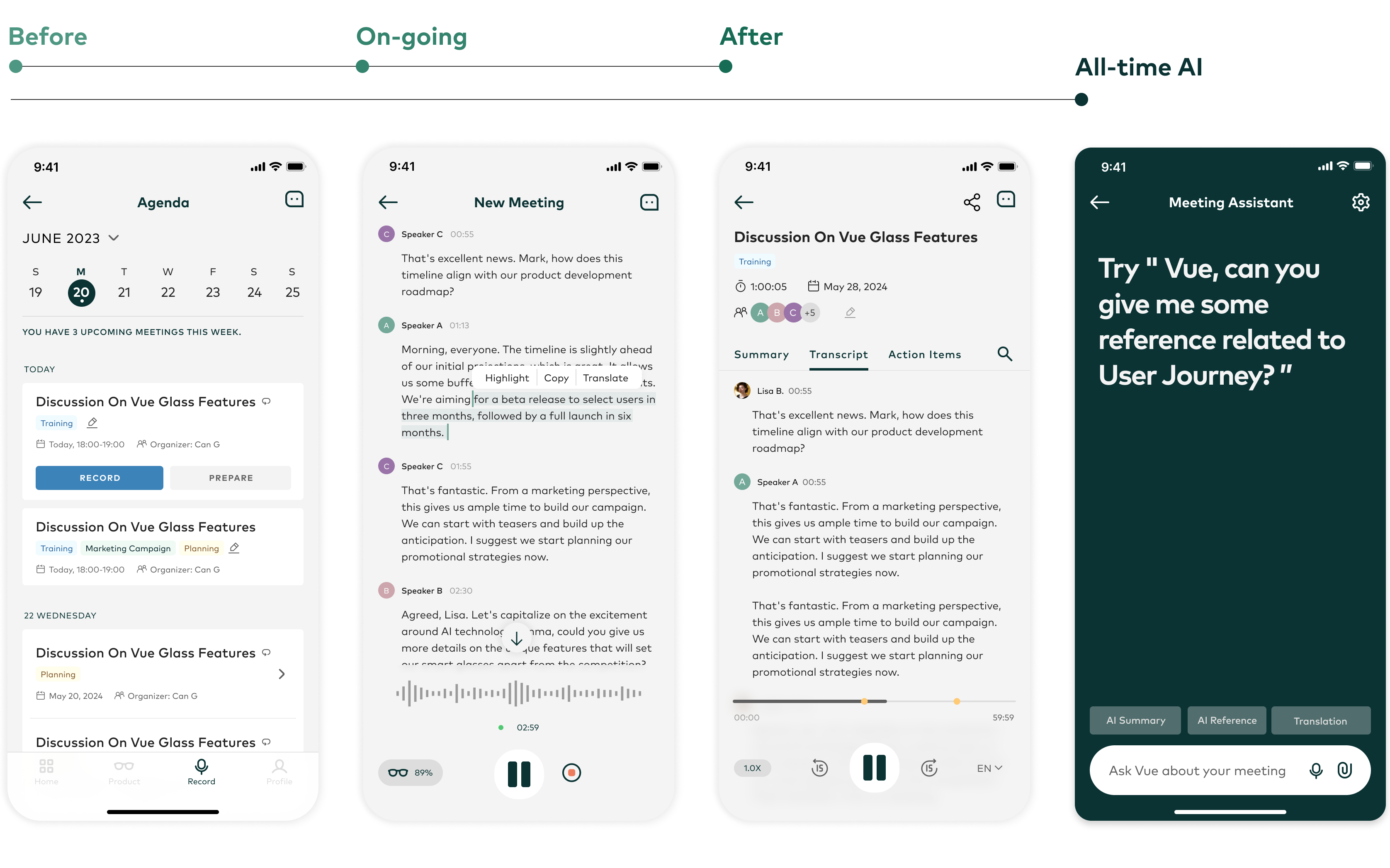
1. One connected meeting cycle
Prepare with calendar synchronization and meeting classification; highlight and translate during recording; then review summaries, transcripts, and action items. The AI assistant supports both general and meeting-related questions.
2. Key controls without reaching for the phone
When looking at a mobile screen is inconvenient, users can start or end a recording, pause or resume, and mark a moment for review through gestures on the glasses’ arms.

Research
What young professionals need
Professionals aged 22–40 make up over 80% of VUE’s users. They value discreet recording and simple controls when note-taking is inconvenient.

Design focus
Interviews and surveys shaped four directions for supporting a more efficient meeting experience.
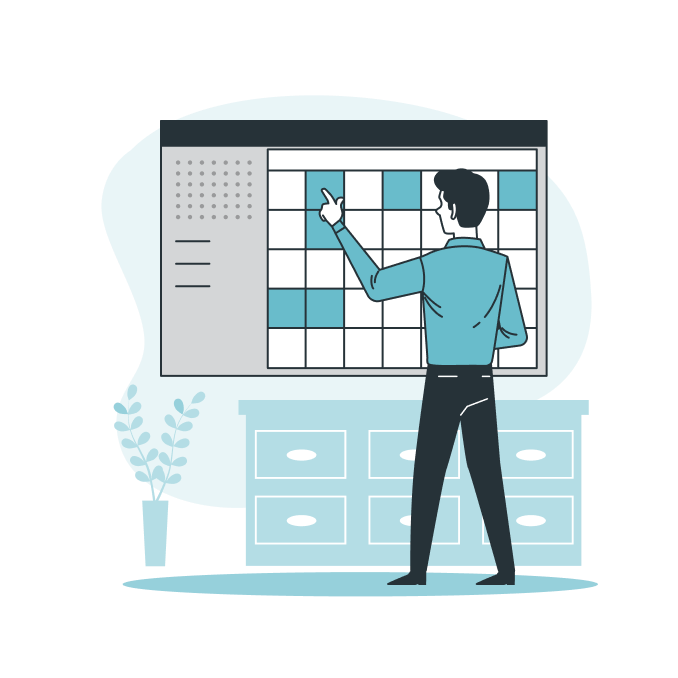
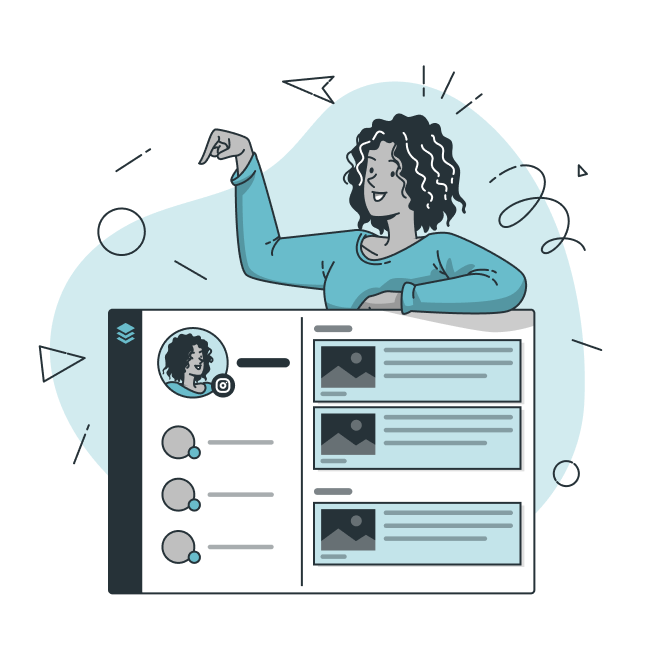
Management
Review meetings and calendars in one place.
Convenience & accessibility
Connect glasses, mobile controls, and AI support across scenarios.
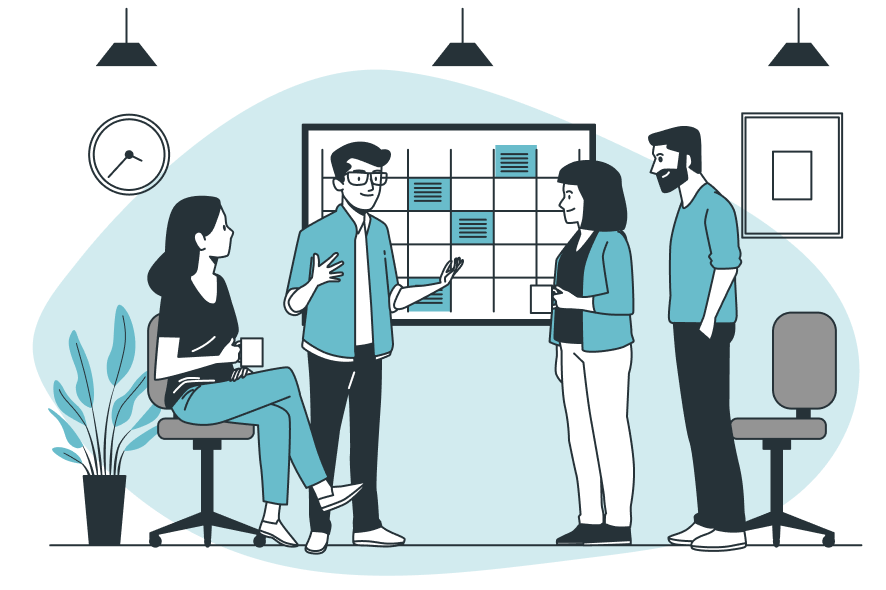
Proactive assistance
Guide the meeting process and organize notes and follow-up.
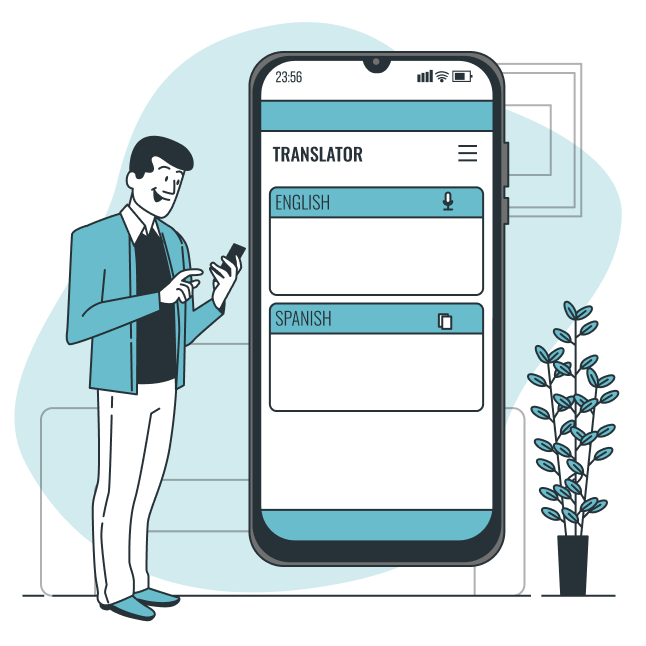
Inclusiveness
Support translation, sharing, and AI assistance.
Design
Organizing the experience around recording
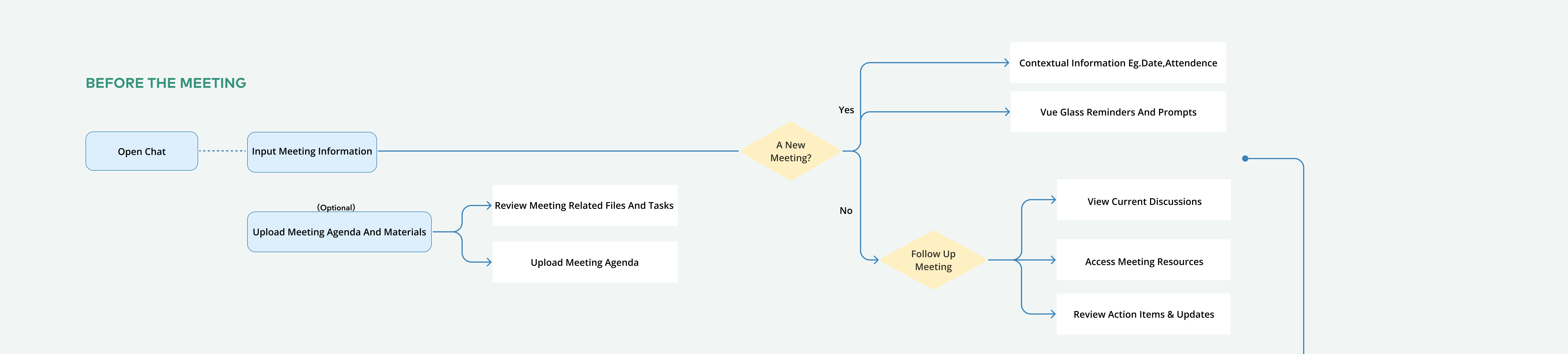
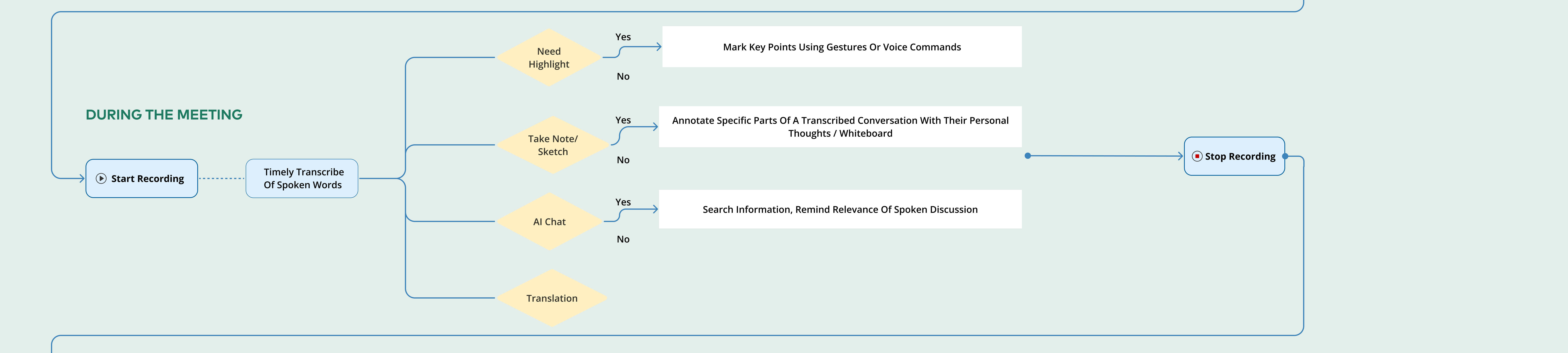
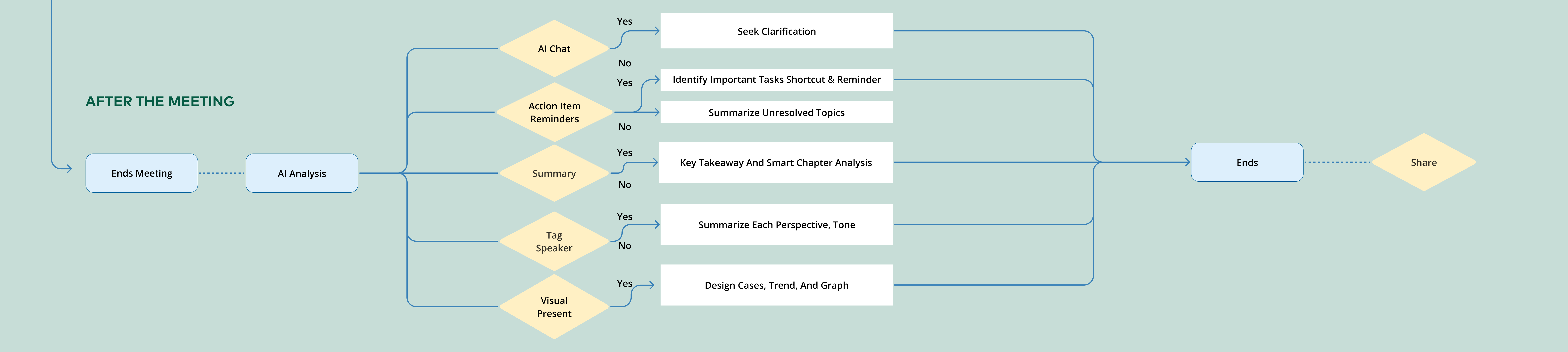
We mapped ideas across the before, during, and after meeting stages. Recording became the primary action connecting the experience cycle, giving the feature a clear starting point and a route into review and follow-up.
Testing choices instead of debating them
I developed alternative wireframes for crucial pages, then brought the choices to potential users. Sixteen usability tests guided the next steps and informed the high-fidelity design.
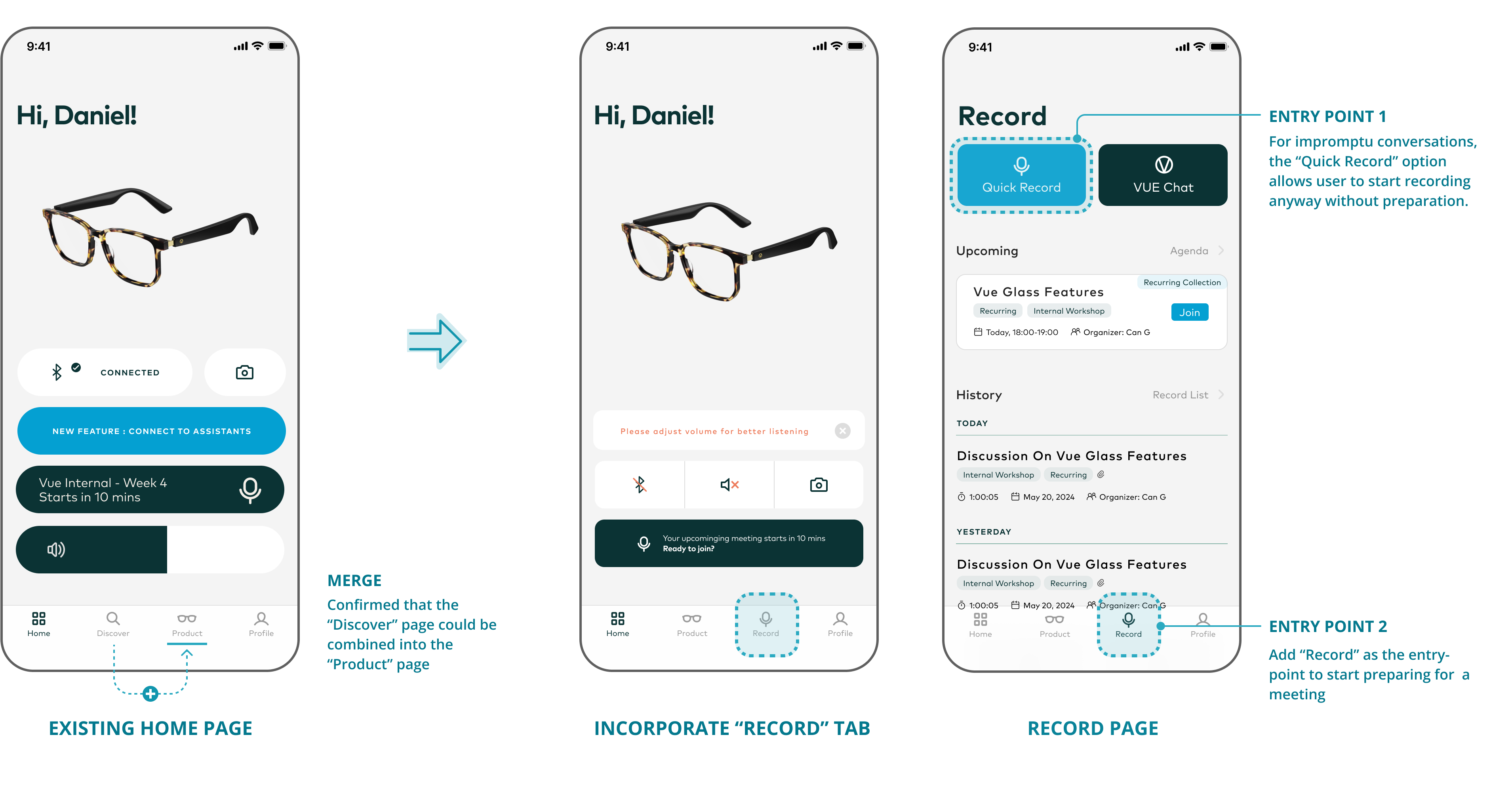
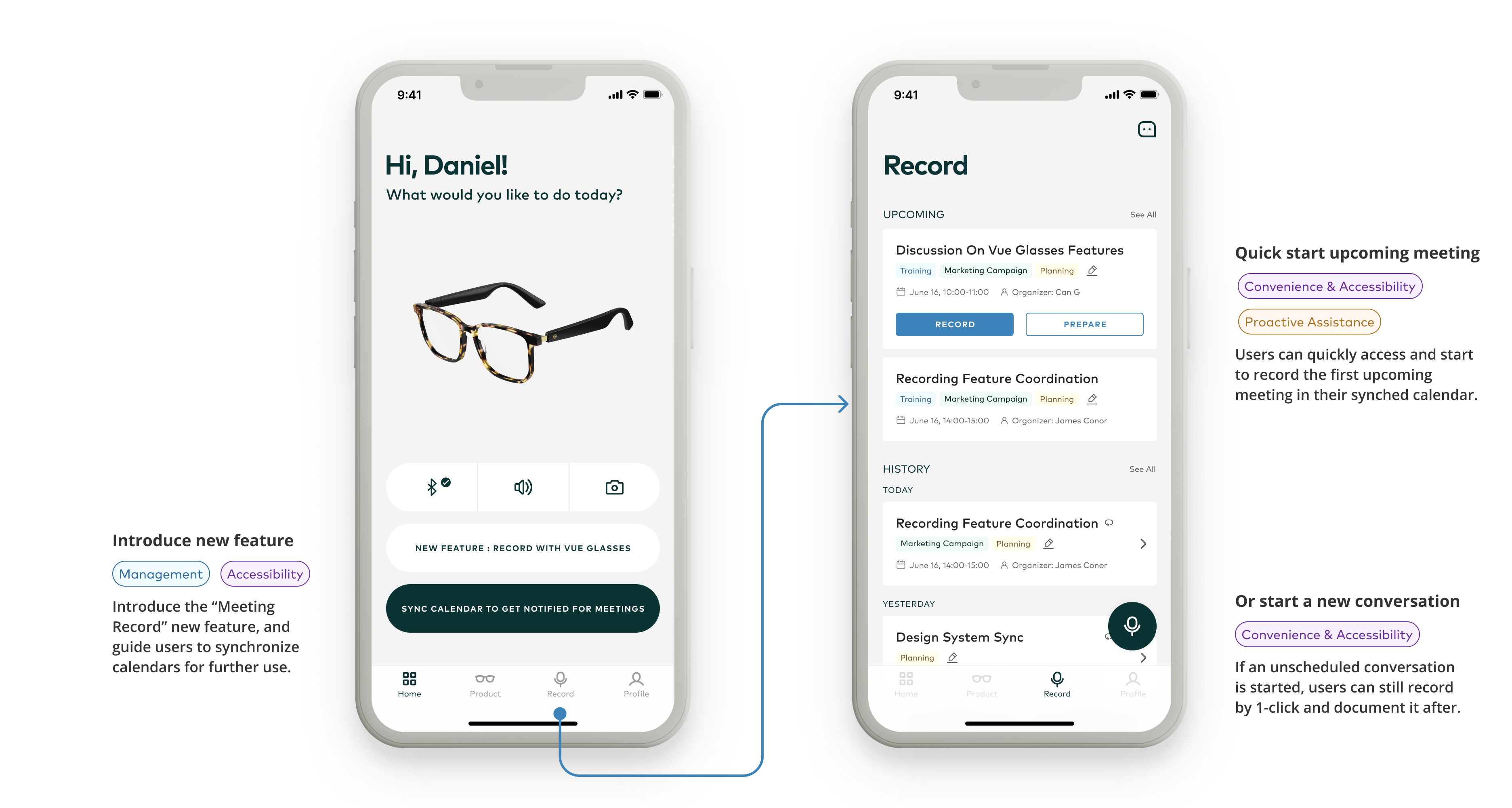
Make recording easy to find
A dedicated Record tab supports scheduled meetings; Quick Record handles impromptu conversations.
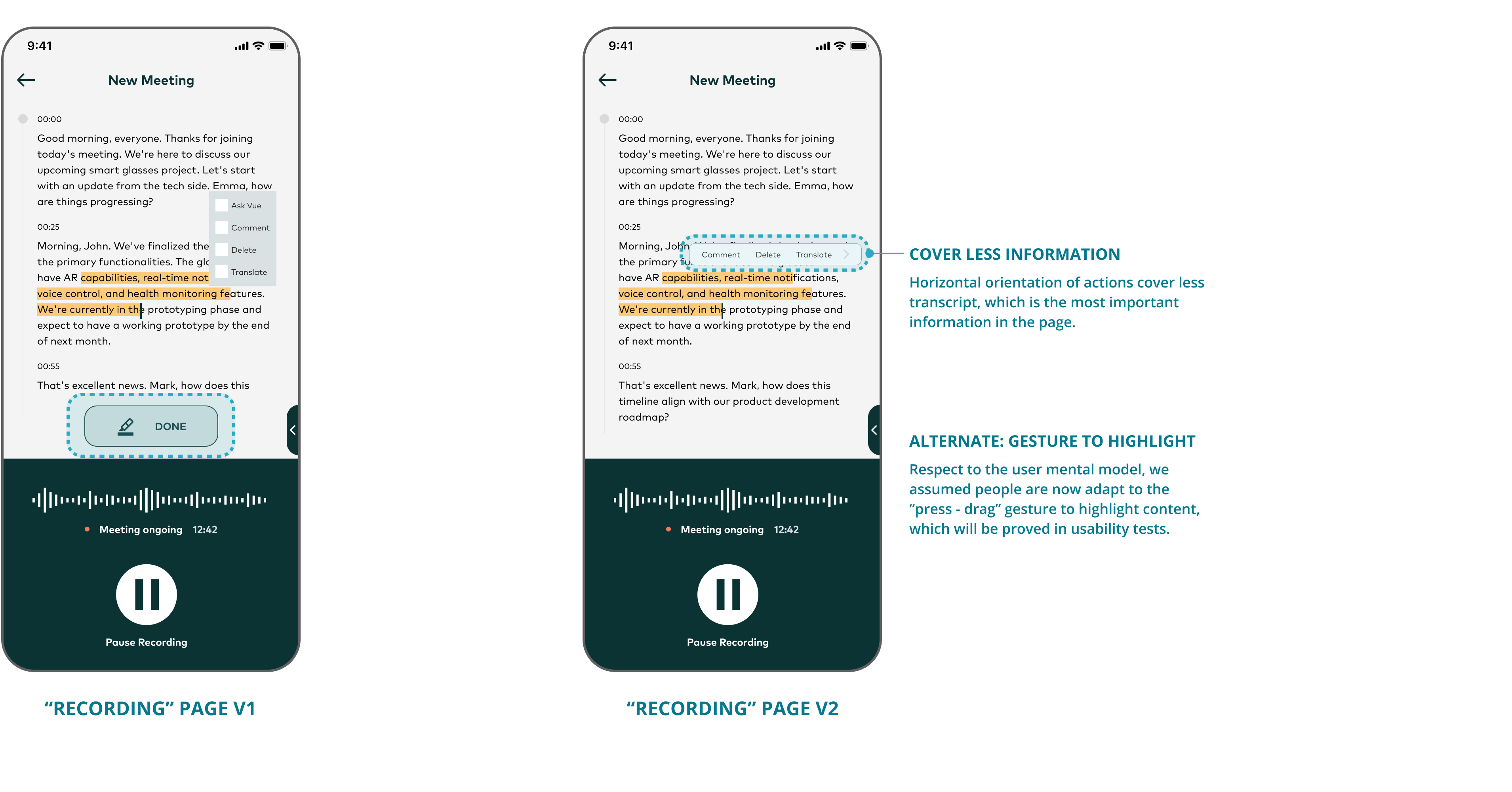
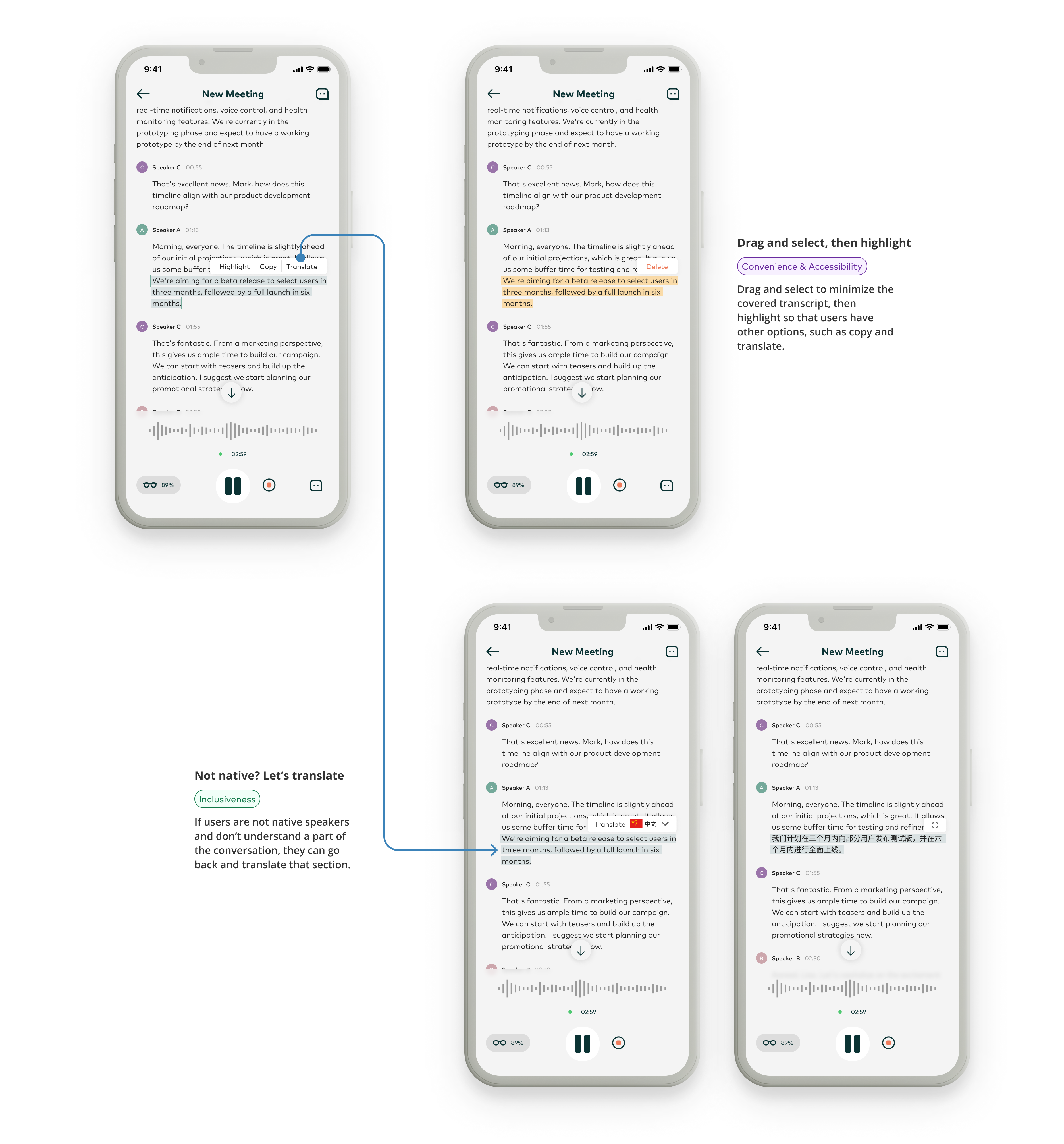
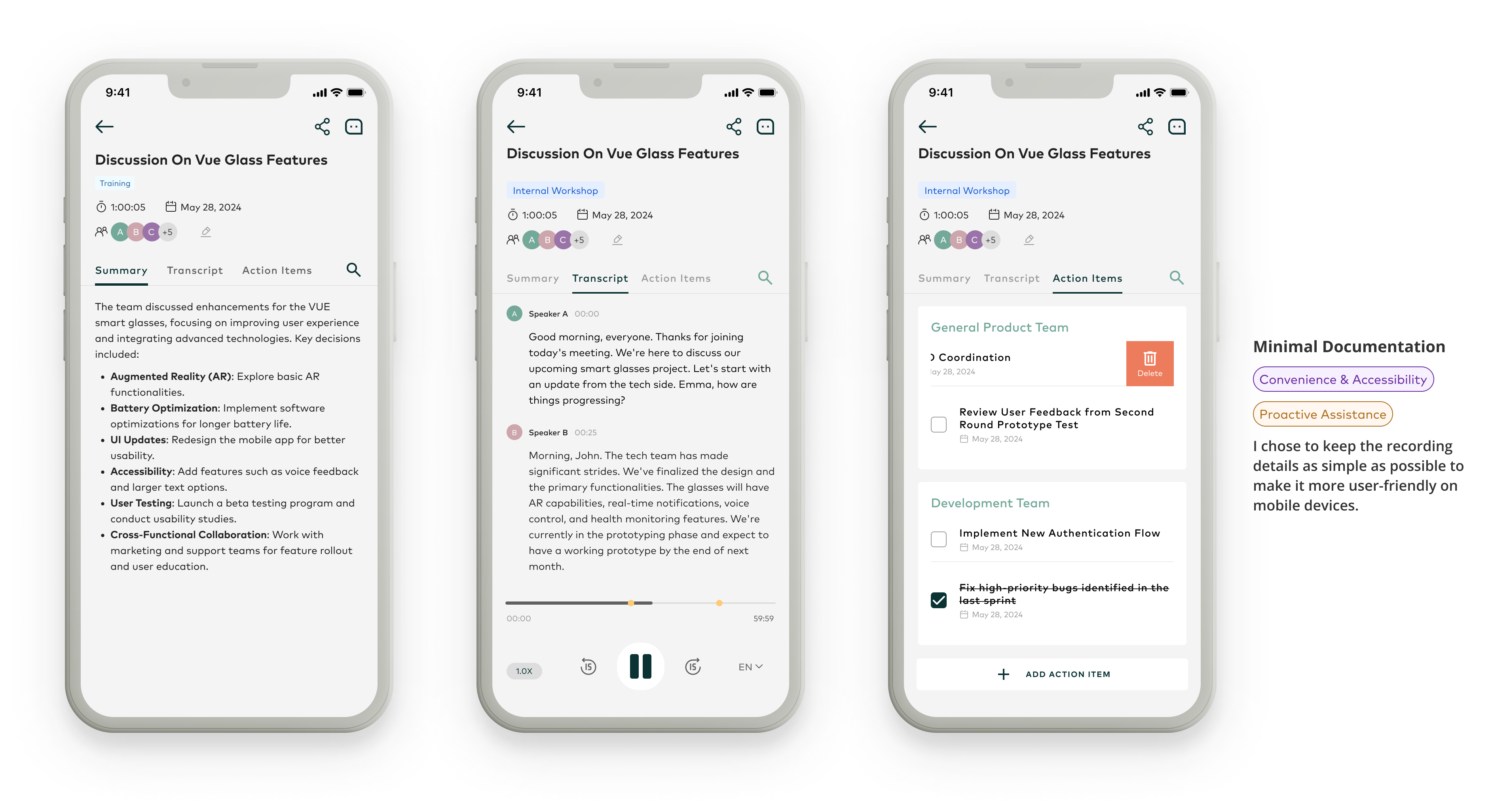
Keep the transcript in view
Compare menu layouts and test press-and-drag highlighting to keep the transcript readable.
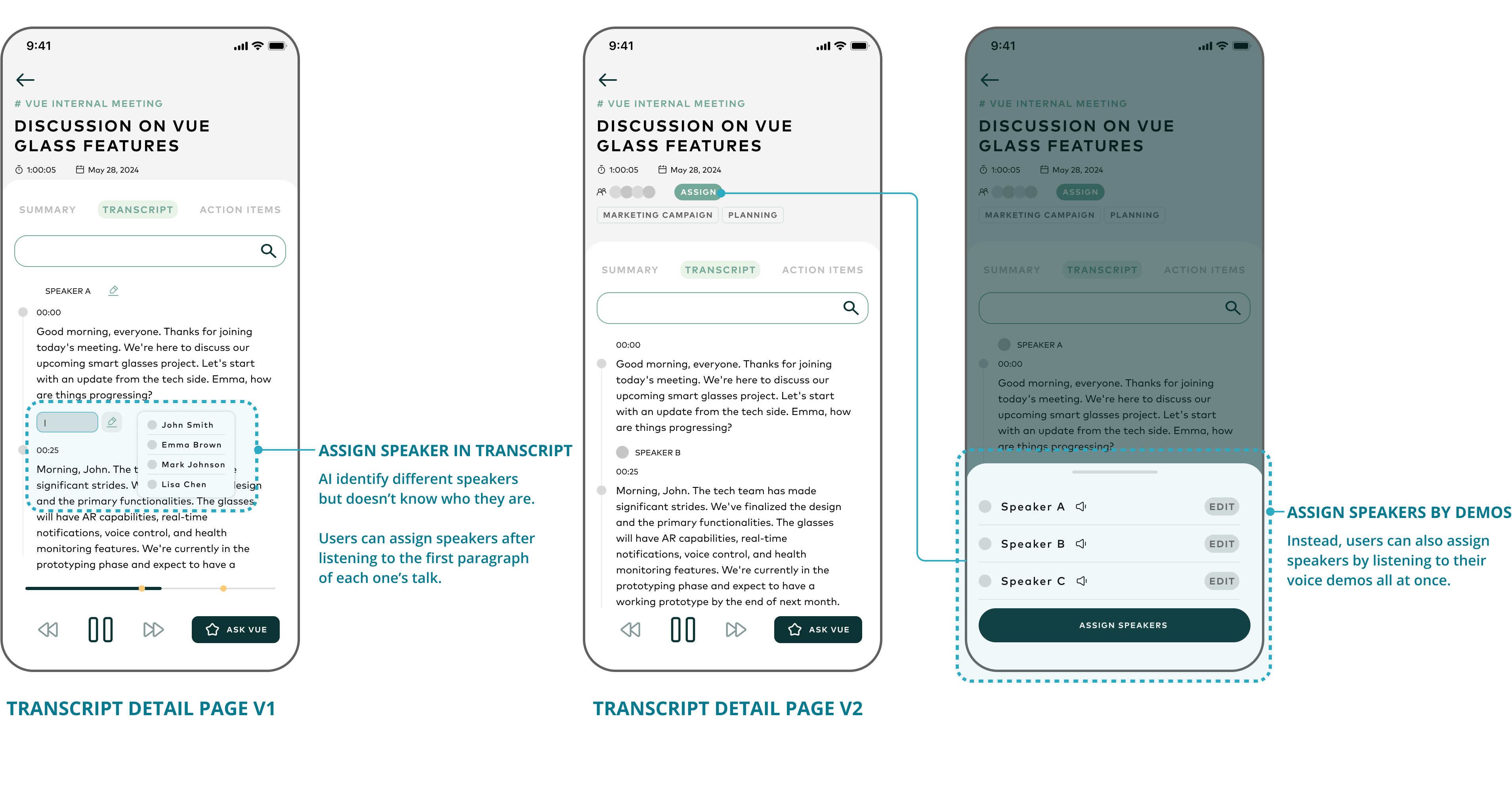
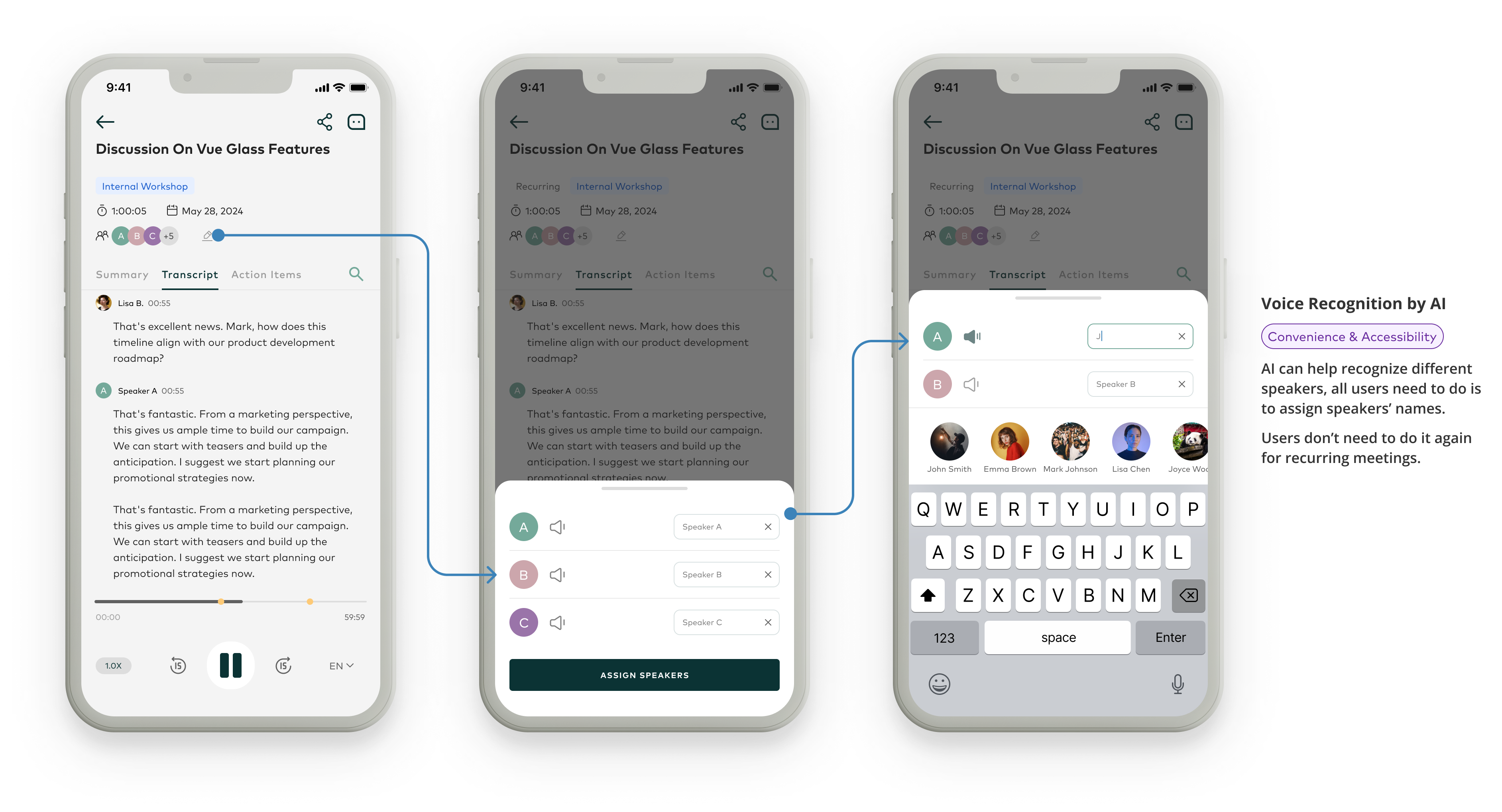
Connect voices to people
Compare naming speakers in the transcript with assigning names through voice samples.
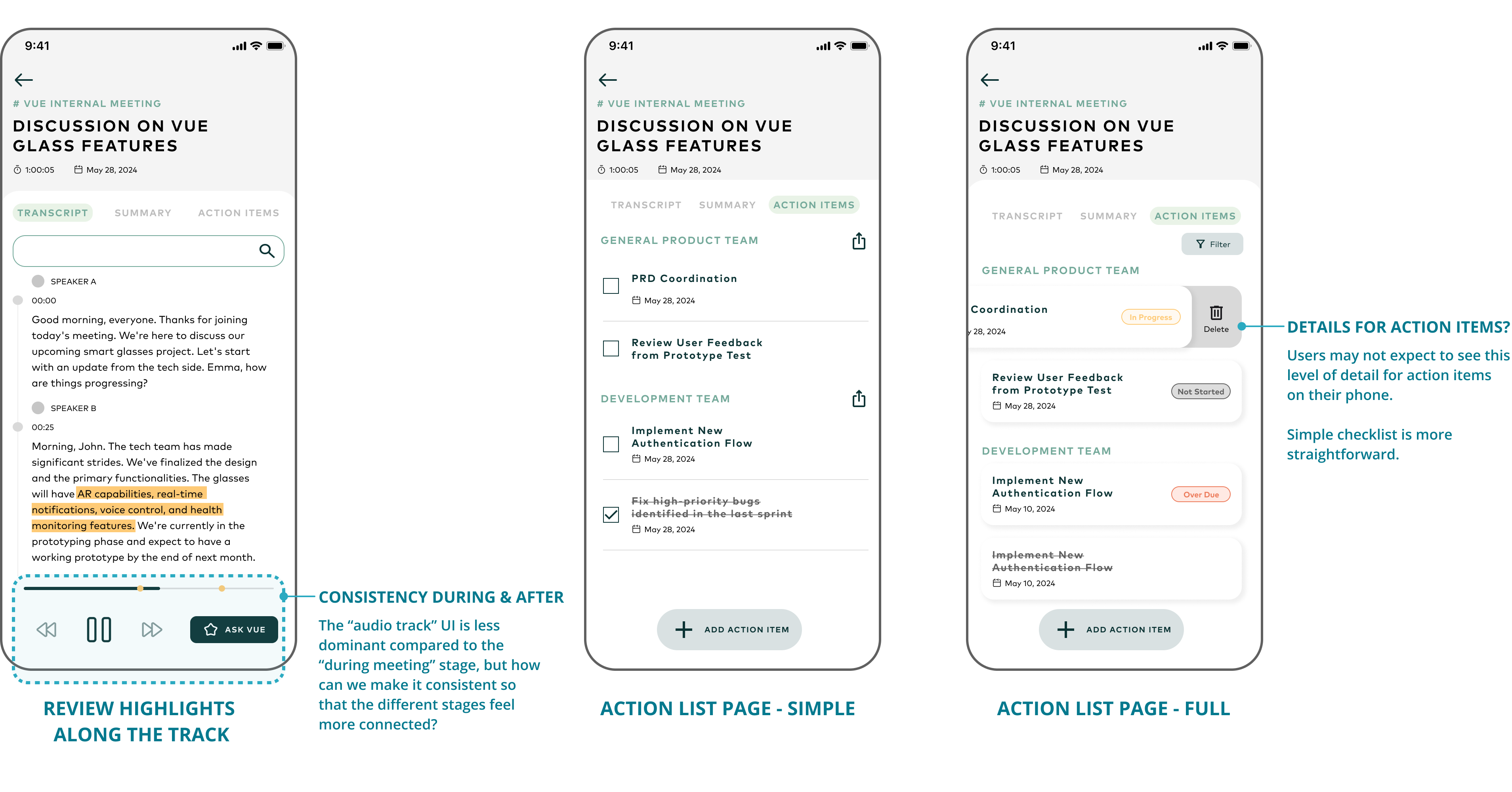
Keep follow-up manageable on mobile
Compare a simple checklist with detailed status cards, and connect playback controls to the recording experience.
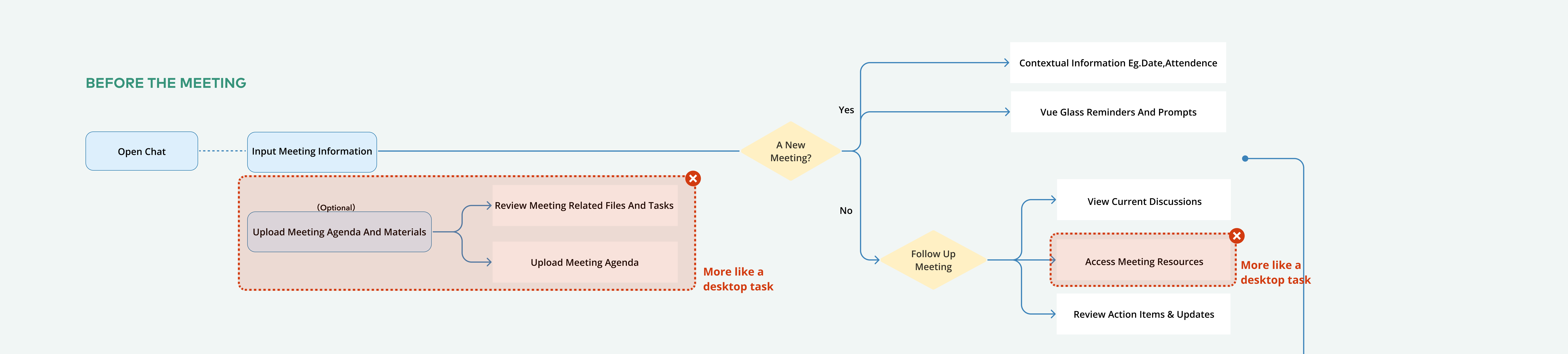
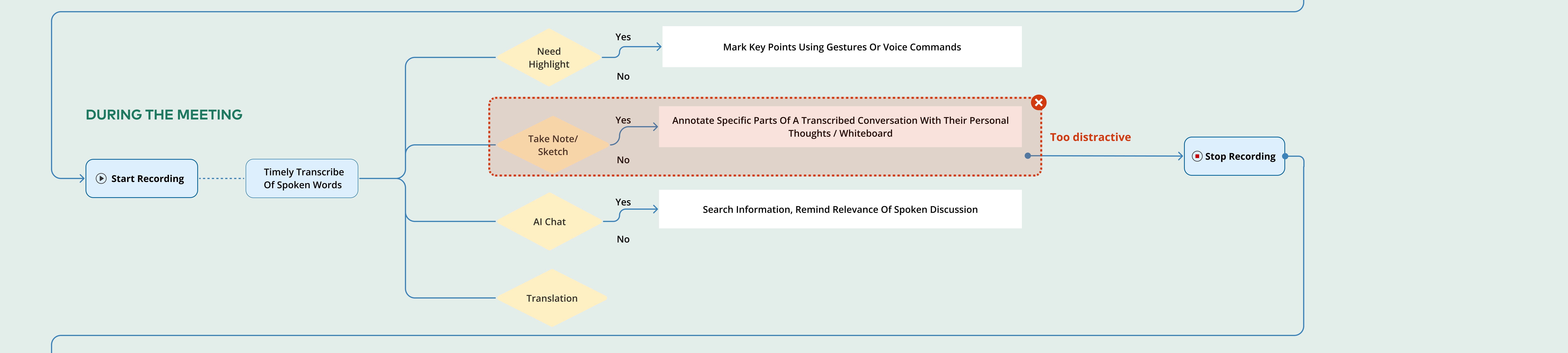
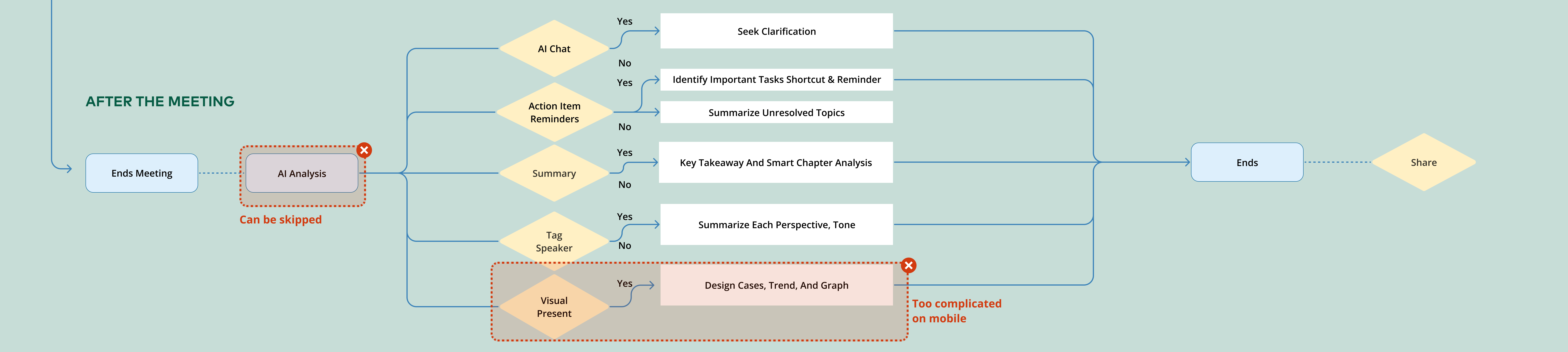
Simplifying the meeting flow for mobile
Based on user feedback, I removed redundant items from the user flow to make the MVP leaner and more suitable for mobile use. The revised maps show the reductions across the three stages.
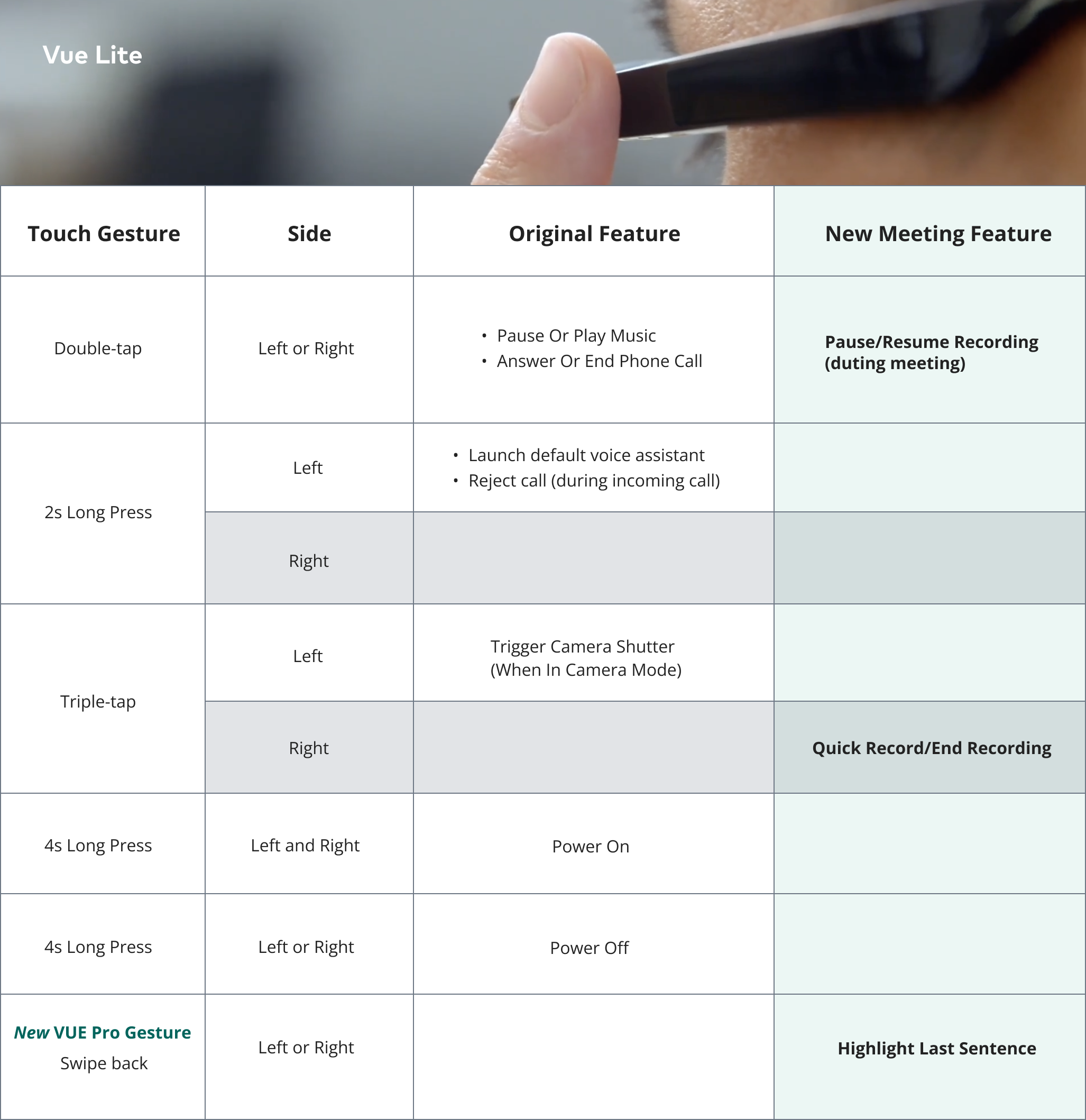
Extend control to the glasses
I added gestures for starting and ending recordings, pausing and resuming, and highlighting, while minimizing conflicts with existing gestures.
Final experience
Before meeting
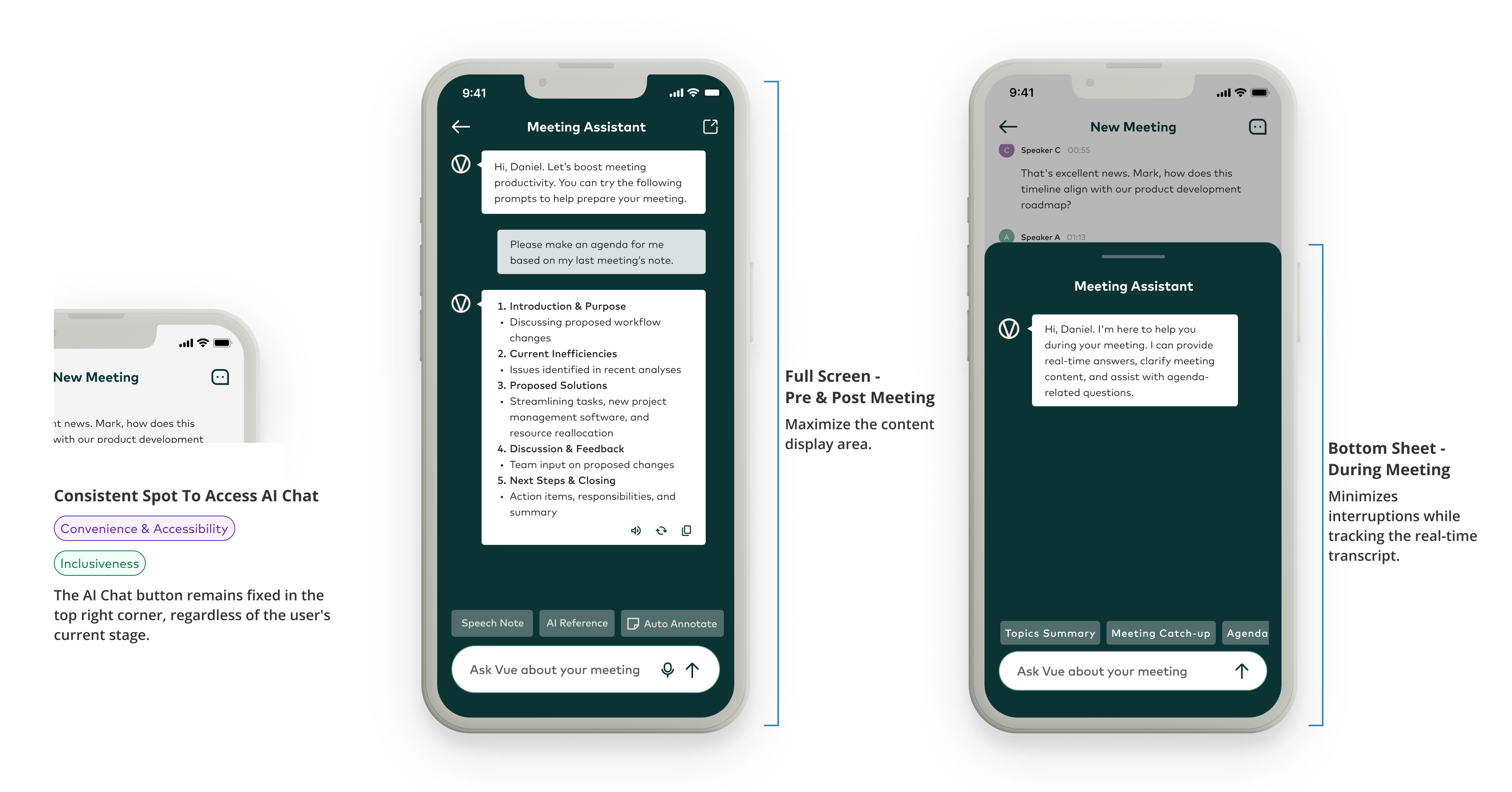
During meeting
After meeting
VUE AI
Evidence
What the testing supports
14 of 16 participants said the features met their needs
This is feedback about perceived usefulness from the test participants. It does not establish a measured improvement in meeting efficiency.
Over 80% of existing users expressed willingness to upgrade
Existing-user feedback indicated interest in upgrading for the new meeting features. This is a signal of interest; the sample size and collection method are not documented in the available project record.
The project was partially launched in September 2024. Feature-level adoption, time saved, and longer-term follow-through still need validation.
Reflection
What needs further validation
More control through the glasses
Test additional gestures for accessibility, discoverability, and conflicts with existing controls.
Follow-through across devices
Validate which desktop integrations best support reviewing notes and completing follow-up.
Conversations beyond work
Explore needs for everyday conversations and voice memos.